
AI Data Readiness: How to Assess and Prepare Your Business Data for AI in 2026
Most AI projects fail because of data, not algorithms. A practical guide to assessing your data readiness, fixing common data quality issues, and building the data foundations that make AI actually work.
AI Data Readiness: How to Assess and Prepare Your Business Data for AI in 2026
Here's the uncomfortable truth about AI projects: the technology is rarely the problem. Data is.
Industry studies consistently show that 60-80% of AI project time is spent on data preparation. Not model selection, not prompt engineering, not deployment — cleaning, connecting, and structuring data. And the businesses that skip this step? They build AI systems on shaky foundations that produce unreliable results, erode trust, and eventually get abandoned.
Before you invest in AI tools, agents, or automation, you need to answer one question: Is your data ready?
What "Data Ready" Actually Means
Data readiness isn't about having perfect data — no business does. It's about having data that's good enough for your intended AI use case and having the systems to keep it that way.
Five dimensions of data readiness:
1. Availability
Can you actually access the data you need? Is it locked in legacy systems, someone's inbox, paper files, or spreadsheets on individual laptops?
Common blockers:
- Data siloed across departments with no integration
- Critical information exists only in email threads
- Paper-based processes that haven't been digitised
- Former employee's spreadsheets that nobody understands
2. Quality
Is the data accurate, complete, consistent, and current?
Red flags:
- Customer records with missing phone numbers, duplicate entries, or outdated addresses
- Product data with inconsistent naming conventions ("Widget A", "widget-a", "WIDGET_A")
- Financial data that doesn't reconcile between systems
- Timestamps in mixed formats or time zones
3. Structure
Is the data organised in a way that AI can consume?
Well-structured: A CRM database with consistent fields, data types, and relationships Poorly structured: A folder of 2,000 Word documents with no consistent format, naming convention, or metadata
AI can work with unstructured data (that's what LLMs are good at), but structured data delivers faster, more reliable results.
4. Volume
Do you have enough data for your intended AI application?
For analytics and pattern recognition: You need sufficient historical data to identify meaningful patterns. A business with 3 months of sales data can't build a reliable demand forecasting model.
For AI agents and automation: Volume matters less — you need accuracy and accessibility. An AI agent that looks up customer records needs those records to be correct, not necessarily millions of them.
For fine-tuning models: You typically need hundreds to thousands of high-quality examples, depending on the task.
5. Governance
Do you know who owns the data, who can access it, how long you keep it, and what regulations apply?
This isn't just bureaucracy. Without governance:
- You risk GDPR violations when feeding customer data into AI tools
- You can't audit AI decisions because you don't know what data informed them
- Staff use whatever data they can find, creating inconsistent AI outputs
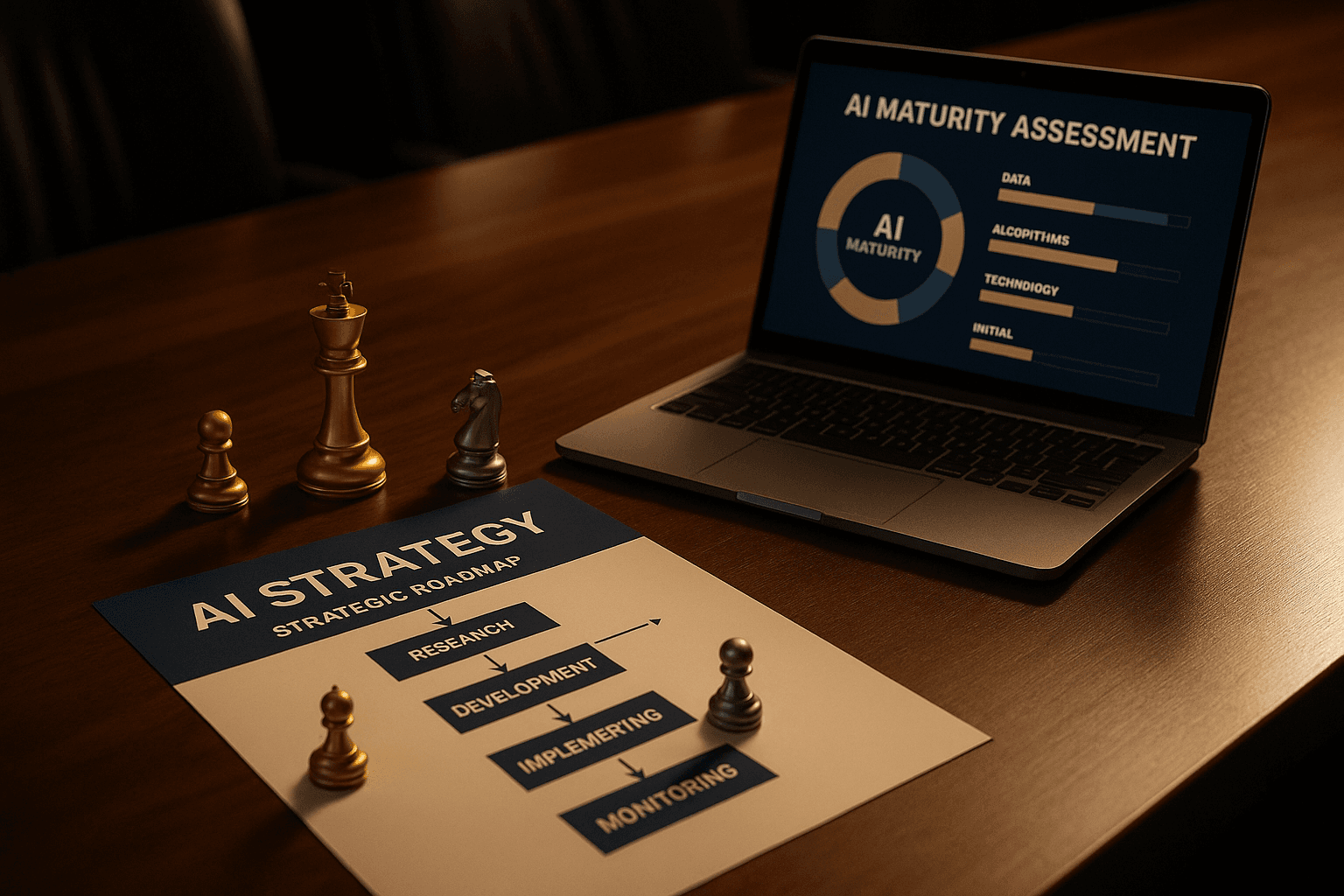
The Data Readiness Assessment: A Practical Framework
Score your organisation across these areas. Be honest — overestimating readiness is worse than underestimating it.
Level 1: Chaotic (Score 1-2)
- Data lives in individual spreadsheets and inboxes
- No single source of truth for key entities (customers, products, orders)
- Manual processes dominate; data entry is inconsistent
- No data quality monitoring
- "Ask Dave — he knows where the numbers are"
AI readiness: Not ready. Start with foundational data hygiene before AI investments.
Level 2: Reactive (Score 3-4)
- Core systems exist (CRM, ERP, accounting software) but poorly maintained
- Significant data quality issues — duplicates, gaps, inconsistencies
- Some integration between systems, but lots of manual re-keying
- Data governance is informal ("we should really clean up the CRM")
- Reports take days because data needs manual reconciliation
AI readiness: Ready for limited AI — chatbots, document processing, simple automation. Not ready for analytics or decision-making AI.
Level 3: Managed (Score 5-6)
- Core systems well-maintained with regular data quality checks
- Master data management for key entities
- API integrations between major systems
- Documented data ownership and access policies
- Reasonable data quality with known gaps being addressed
AI readiness: Ready for most business AI applications. Can deploy AI agents, workflow automation, and basic analytics with confidence.
Level 4: Optimised (Score 7-8)
- Clean, connected data across the organisation
- Automated data quality monitoring and alerting
- Well-documented data models and dictionaries
- Strong governance with clear ownership, access controls, and retention policies
- Real-time or near-real-time data pipelines
AI readiness: Fully ready. Can pursue advanced AI including predictive analytics, personalisation, and autonomous decision-making.
Level 5: Data-Driven (Score 9-10)
- Data treated as a strategic asset with executive ownership
- Continuous improvement in data quality and accessibility
- Self-service analytics available across the organisation
- Proactive data governance with automated compliance
- Data literacy embedded in company culture
AI readiness: Leading edge. Can pursue the most advanced AI applications and gain genuine competitive advantage from AI-driven insights.
The Most Common Data Problems (and How to Fix Them)
Problem 1: Customer Data Chaos
Symptoms: Duplicate customer records, inconsistent naming, outdated contact details, no single customer view across sales, support, and billing.
Impact on AI: Your AI agent pulls up the wrong customer record. Your email automation sends messages to dead addresses. Your analytics double-count customers.
Fix:
- Pick one system as the master customer record (usually CRM)
- Run deduplication — match on email, phone, company name + postcode
- Implement validation rules on data entry (mandatory fields, format checking)
- Set up regular automated dedup scans
- Assign a data steward responsible for customer data quality
Timeline: 2-4 weeks for initial cleanup; ongoing maintenance
Problem 2: Tribal Knowledge
Symptoms: Critical business processes exist only in people's heads. "Sarah handles that." Key information is in email threads, WhatsApp messages, or undocumented spreadsheets.
Impact on AI: AI systems can't access information that doesn't exist in a queryable format. Your RAG system returns nothing because the knowledge was never written down.
Fix:
- Identify the top 10 processes that rely on tribal knowledge
- Document them — even rough SOPs are better than nothing
- Create a shared knowledge base (Notion, Confluence, even a shared drive with consistent structure)
- Make documentation part of the workflow, not an afterthought
- Use AI transcription for meetings where decisions happen verbally
Timeline: Ongoing, but initial documentation sprint in 2-3 weeks
Problem 3: Spreadsheet Hell
Symptoms: Critical business data lives in Excel/Google Sheets, often on individual machines. Version control is filenames ("Budget_v3_FINAL_ROD_EDITS_ACTUAL_FINAL.xlsx"). Formulas break. Nobody's sure which version is current.
Impact on AI: AI can't reliably read unstandardised spreadsheets. Critical data is inaccessible. Analysis produces different results depending on which version someone uses.
Fix:
- Identify spreadsheets that should be in proper systems (recurring reports → dashboards, customer lists → CRM, inventory → ERP)
- Migrate the highest-impact ones first
- For those that must remain as spreadsheets, move to shared cloud versions with controlled access
- Implement naming conventions and version control
- Set a policy: if it's updated weekly and used by multiple people, it should be in a database
Timeline: 1-2 months for migration of critical spreadsheets
Problem 4: System Silos
Symptoms: Your CRM doesn't talk to your accounting software. Your ecommerce platform doesn't sync with your warehouse system. Sales data is in one place, support data in another, and nobody has the full picture.
Impact on AI: AI works best with connected data. An AI agent that can see customer orders but not support tickets gives incomplete answers. Analytics without cross-system visibility produce misleading insights.
Fix:
- Map your systems and data flows — who needs what from where?
- Identify quick wins — many modern SaaS tools have native integrations
- For complex integrations, consider middleware (Make, n8n, Zapier) before custom development
- Define a canonical data model — what's the "golden record" for each entity?
- Start with the highest-value integration first (usually CRM ↔ billing)
Timeline: Weeks for simple integrations; months for complex system connections
Problem 5: No Data Catalogue
Symptoms: Nobody knows what data exists, where it lives, who owns it, or what it means. New team members spend weeks just understanding the data landscape.
Impact on AI: You can't feed AI data you don't know you have. You duplicate effort because different teams don't realise they're working with the same underlying data. AI developers waste time reverse-engineering data schemas.
Fix:
- Create a simple data catalogue — even a spreadsheet listing systems, key tables/datasets, owners, and descriptions
- Document field definitions (what does "revenue" mean? Gross? Net? Including VAT?)
- Tag data with sensitivity levels (public, internal, confidential, restricted)
- Review and update quarterly
- Graduate to a proper data catalogue tool if complexity warrants it
Timeline: 1-2 weeks for initial catalogue; quarterly reviews
Data Readiness by AI Use Case
Different AI applications have different data requirements:
AI Chatbots & Customer Support
Data needed: Knowledge base articles, FAQs, product documentation, support ticket history Quality bar: Medium — LLMs handle messy text well, but accuracy matters Key requirement: Keep knowledge base current; stale information = wrong answers
AI Agents & Workflow Automation
Data needed: System access (CRM, calendar, email), process documentation, business rules Quality bar: High for system data (agents act on it); medium for unstructured knowledge Key requirement: Reliable API access and clean master data
Predictive Analytics & Forecasting
Data needed: 12-24+ months of historical data, consistent format, minimal gaps Quality bar: Very high — garbage in, garbage out applies directly Key requirement: Consistent data collection over time; retroactive cleanup often impossible
Document Processing & Extraction
Data needed: Example documents, expected output formats, validation rules Quality bar: Medium — AI handles document variability well Key requirement: Clear definition of what "correct extraction" looks like
Personalisation & Recommendation
Data needed: Customer behaviour data, preferences, purchase history, interaction logs Quality bar: High for behavioural data; medium for content metadata Key requirement: Sufficient volume of interaction data and privacy-compliant collection
Building a Data Readiness Roadmap
Month 1: Discovery
- Audit current data landscape (systems, stores, flows)
- Score data readiness across the five dimensions
- Identify the AI use cases you want to pursue
- Map data requirements to current capabilities
- Identify the top 3-5 data gaps
Month 2-3: Foundation
- Address critical data quality issues (dedup, standardisation)
- Implement basic data governance (ownership, policies)
- Set up highest-priority integrations
- Create data catalogue
- Establish data quality metrics and monitoring
Month 4-6: AI-Ready
- Data quality meets requirements for target AI use cases
- Integrations providing connected data views
- Governance embedded in workflows
- Team trained on data quality responsibilities
- First AI pilot deployed on clean data foundation
Ongoing: Continuous Improvement
- Regular data quality reviews
- Expand integrations as new AI use cases emerge
- Refine governance based on experience
- Build internal data literacy
- Measure and report on data quality trends
The Cost of Ignoring Data Readiness
Skipping data readiness doesn't save time — it moves the pain downstream:
- AI pilots fail because they produce unreliable results (and executives lose confidence in AI)
- Rework costs 3-5x more than doing data prep upfront
- Trust erodes when AI gives wrong answers based on bad data
- Competitive disadvantage grows as competitors with better data foundations move faster
A £5,000 investment in data readiness before an AI project can save £50,000 in failed pilots, rework, and lost confidence.
Getting Started This Week
You don't need a six-month project to begin. Start with these:
- List every AI tool your organisation currently uses (including staff using ChatGPT on their phones)
- Pick your highest-priority AI use case — the one that would deliver the most value
- Ask: what data does that use case need, and where does it live?
- Score that data on the five dimensions above
- Identify the biggest gap and start closing it
That's your first step toward AI readiness. No consultants required, no enterprise software needed — just honest assessment and targeted action.
How Caversham Digital Can Help
We run data readiness assessments for UK businesses — practical, actionable audits that tell you exactly where you stand and what to fix before investing in AI. No jargon, no unnecessary complexity, just a clear roadmap from where you are to where you need to be.
Book a free data readiness assessment and find out how AI-ready your data really is.